



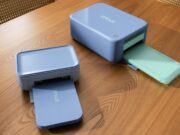















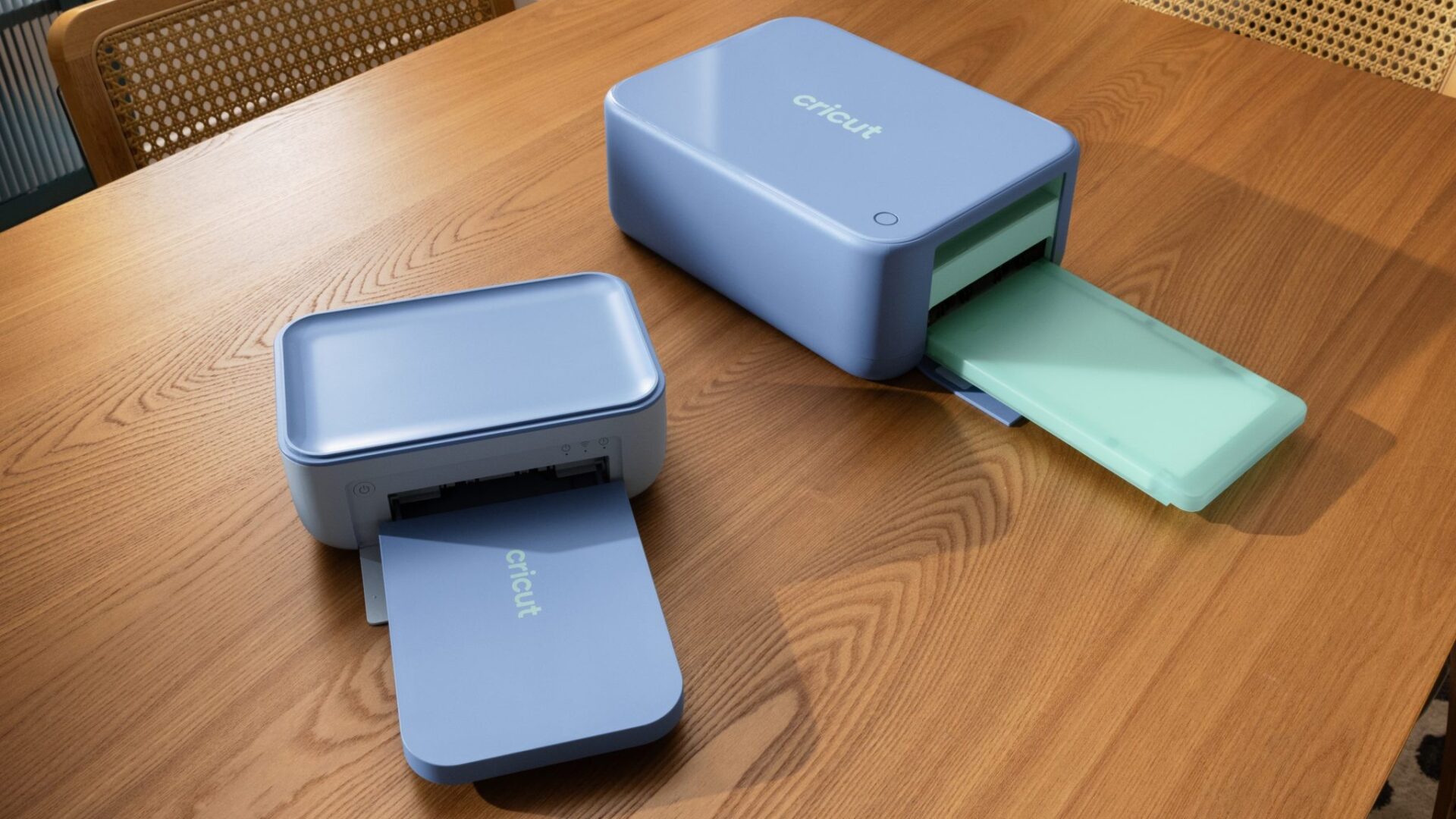
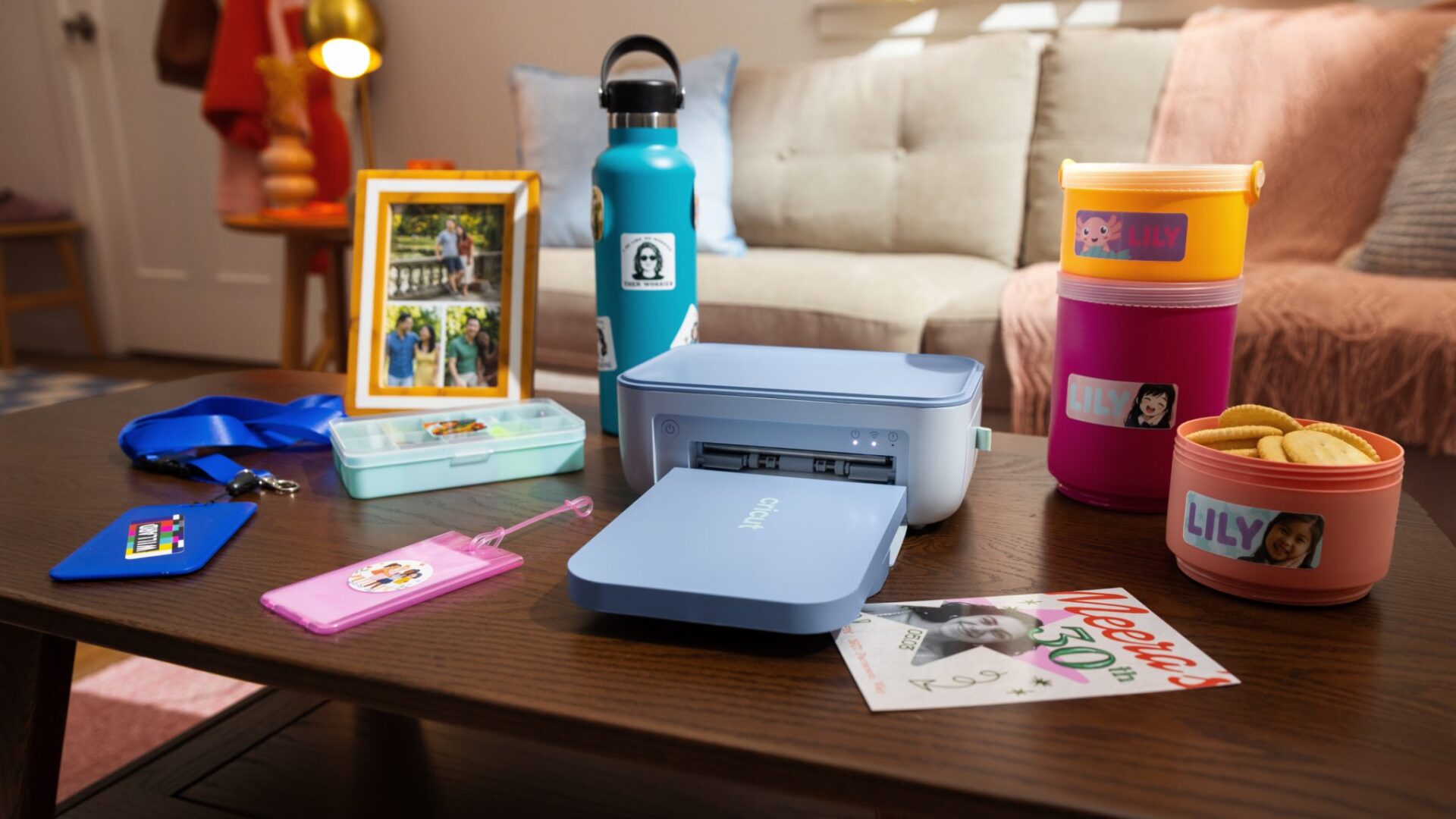
Cricut just launched Cricut StickerPix Print and Print + Cut, two compact machines that print, laminate, and, on the larger model, cut custom stickers at home. CEO Ashish Arora said Cricut StickerPix brings these trends together and makes it incredibly easy to turn what’s on your screen into something you can hold, share, and make your own.
Cricut started sales on September 24, 2026. For the first week, the company is selling the line only at Cricut.com and Michaels. After that window, Cricut says the machines will reach the wider retail network.
Print + Cut versus the smaller Print
Cricut StickerPix Print + Cut is the all-in-one unit. It prints, then adds a clear laminate layer, then uses a built-in fine-point blade to cut custom shapes. The machine measures 8 by 11.3 by 4.1 inches and weighs 6.6 pounds. It takes 4 by 7 inch sticker sheets and 4 by 6 inch photo paper. Cricut rates each ink cartridge for 36 prints.
Cricut StickerPix Print skips the cutter. Instead, it prints and laminates onto pre-cut sheets: 1.5 inch circles, 1 by 2.6 inch rectangles, 1.5 inch squares, plus 4 by 6 inch photo paper. The smaller box is 7.8 by 5 by 3.5 inches and weighs 2.3 pounds. Cricut rates that cartridge for 54 prints. Meanwhile, shop listings show Powder Blue for Print + Cut and Sea Green for Print.
However, Cricut’s help docs say the two machines use different sheet sizes. Print supplies will not feed in Print + Cut, and the reverse also fails. Cricut does not support third-party paper and ink, because it calibrates the path for its own cartridges.
Dye-sublimation, Design Space, and the catch
Both machines use thermal dye-sublimation rather than sprayed inkjet droplets. Cricut heats a CMY ribbon, transfers dye into the coated sheet one color at a time, then finishes with a clear protective layer. As a result, the company rates output at 300 DPI and says the laminate resists water, scratches, and fading.
Design Space drives the job from a computer or phone. Cricut lists more than 1.8 million sticker images, editable templates, and optional AI photo styles. Still, users do not need AI. Help pages say a straight photo print stays inside the Cricut account. Cricut does not send that file to a third-party AI vendor.
The machines still need Cricut’s own sheets, a Bluetooth device, and a high-speed internet connection. So they sit in the same closed-material lane as other Cricut hardware. That is closer to a photo printer than to a vinyl cutter that eats third-party stock.
Price, bundles, and what ships in the box
Cricut’s investor release prices Print + Cut from $299 and Print from $169. The live US shop matches those floors on Essential bundles. Print + Cut Ultimate Plus is $379. Print Ultimate Plus is $229. A Print + Cut Ultimate Plus plus Cricut Access bundle is $329. Essential boxes include the machine, an ink cartridge, sticker sheets, photo paper, a power adapter, and a material tray. The Print Essential pack lists 18 circle sheets, 18 rectangle sheets, and 18 photo prints. Print + Cut Ultimate Plus claims supplies for 90 sticker sheets and 90 photo prints.
Canada shop pages list Print Essential at C$239 and Ultimate Plus at C$319. Those are live CAD tags, not a US conversion. Cricut did not publish a UK dollar-equivalent in the US release.
The pitch sits next to other home gadgets that turn a phone photo into an object. We have covered that same camera-roll habit on the Nikon Z5IIC. Likewise, the broader small-appliance lane showed up on the Dyson Nurovi R1.
Finally, Cricut’s own blog is the product walkthrough if you want the comparison charts. The investor note remains the launch record for dates and US starting prices.